
Hello there adventurers,
Yes, you guessed it, we’re here to discuss everything related to Multiplayer and what to expect from it when its first version releases on September 10th!
Playing with Friends in Solasta II
For us at Tactical Adventures, RPGs have always been about sharing an adventure. We love video games, of course, but we are also tabletop RPG players at heart, and some of the best moments around the table come from experiencing the journey together: discussing what to do next, coming up with a plan before a tough fight, debating which option to choose... and sometimes watching everything go completely off the rails!
Bringing that tabletop feeling to our games has always been part of our DNA, and multiplayer is a natural extension of that. It is also something you, our community, have been asking for since Solasta: Crown of the Magister, where online co-op was eventually added after launch. With Solasta II, we wanted to bring multiplayer to you much earlier in the journey, during Early Access, so that you can experience the campaign together with your friends and help us refine it along the way.
We’ve been playing multiplayer internally for some time now, and it has been a joy to see those familiar party moments emerge naturally. A combat encounter quickly turns into a discussion about positioning and tactics. A dialogue choice becomes a proper party debate. And, just like around the table, sometimes the most memorable moments come from seeing how your party reacts when things don’t quite go according to plan.
That’s why we didn’t want multiplayer to simply be about having several players in the same campaign. We’ve added features designed to help recreate that feeling of sitting around the same table, even when you’re playing online: making decisions together, communicating with your party, and sharing the adventure as a group.
So, ready to gather your party? Below, you’ll find an overview of the main multiplayer features coming to Solasta II in a couple weeks.
“We Are Family”
How to invite players to your game
To make joining your friends easier, we’ve added a new multiplayer interface. There, you can see all publicly visible sessions, along with their names and status.
Simply find your friend’s session and select it to join the game. You can also create a new session directly from the multiplayer interface and decide whether to make it either public or private sessions will work through invitations or session code sharing.
“Who Will You Be?”
Choosing and assigning characters
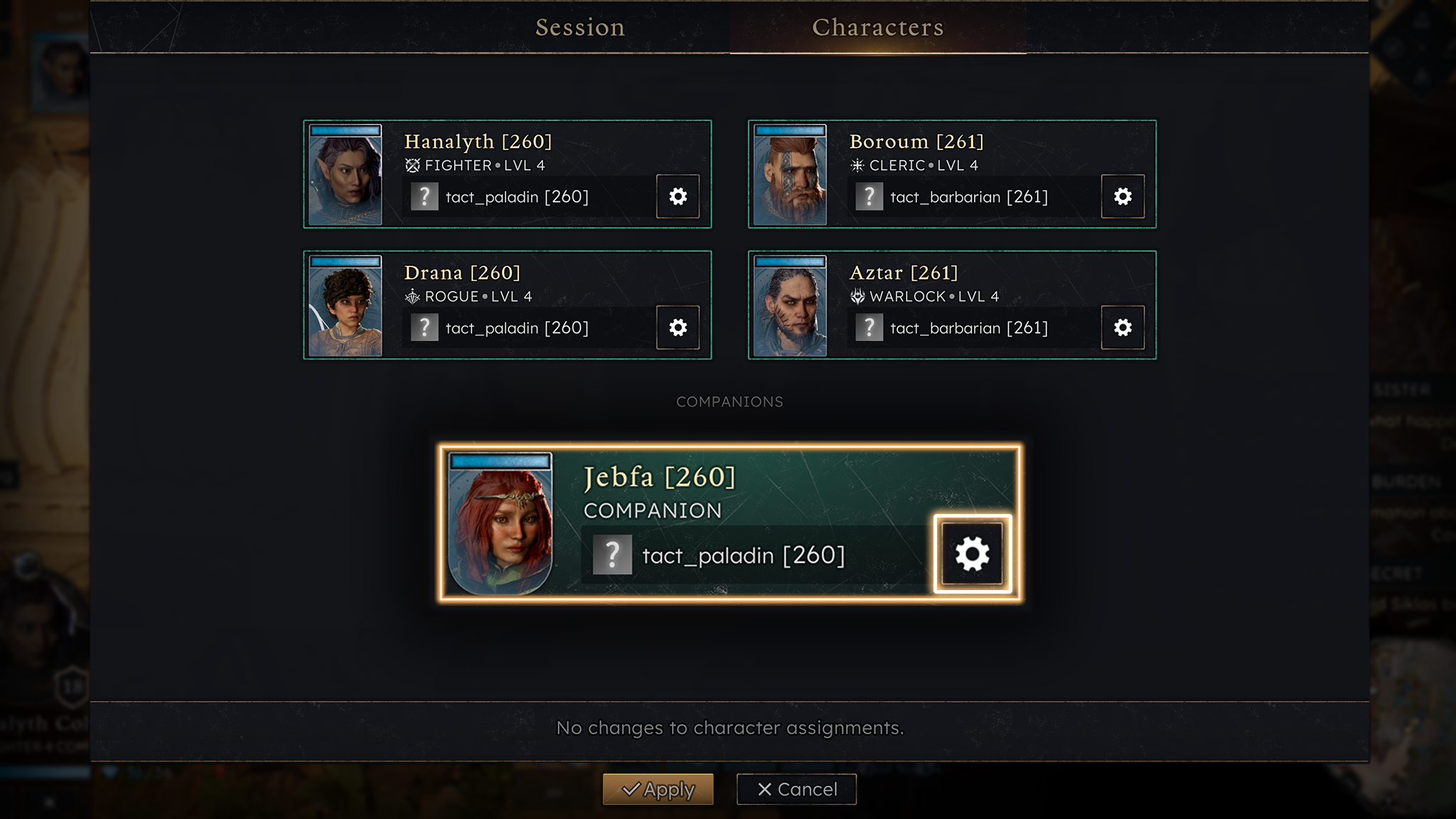
Once you’ve joined a session, the host can assign one of the available characters to you. You can also choose to create a new character for the session or pick one from your existing characters.
You can also decide who will control the companions that you’ll meet during your adventures.
“Adventure Together, Fight Together…”
Exploring and fighting as a Party
Outside of combat, you can move your character freely around the level or location you’re in. Stick together as a group or venture off on your own. The choice is yours. The only exception to this is the World Map, where the host will control the party and lead them through the tiles.
Loot goes to the character who interacts with containers first. Since each character has their own carrying capacity, remember to spread the loot around before one party member gets overloaded. And keep an eye on that friend who always checks every crate first!
Once combat begins, the game switches to turn-based mode, and each of you takes control when one’s character’s turn comes up. During another player’s turn, you won’t be able to move or act, but you can still follow the action and plan your next move.
“…and Decide Together”
Making choices as a group
Fighting isn’t the only thing you’ll have to handle as a group. When talking to NPCs, you’ll also have to agree on what to say or at least try to!
Whenever dialogue choices are available, every player can cast their vote for the answer they prefer. The option with the most votes becomes the party’s choice.
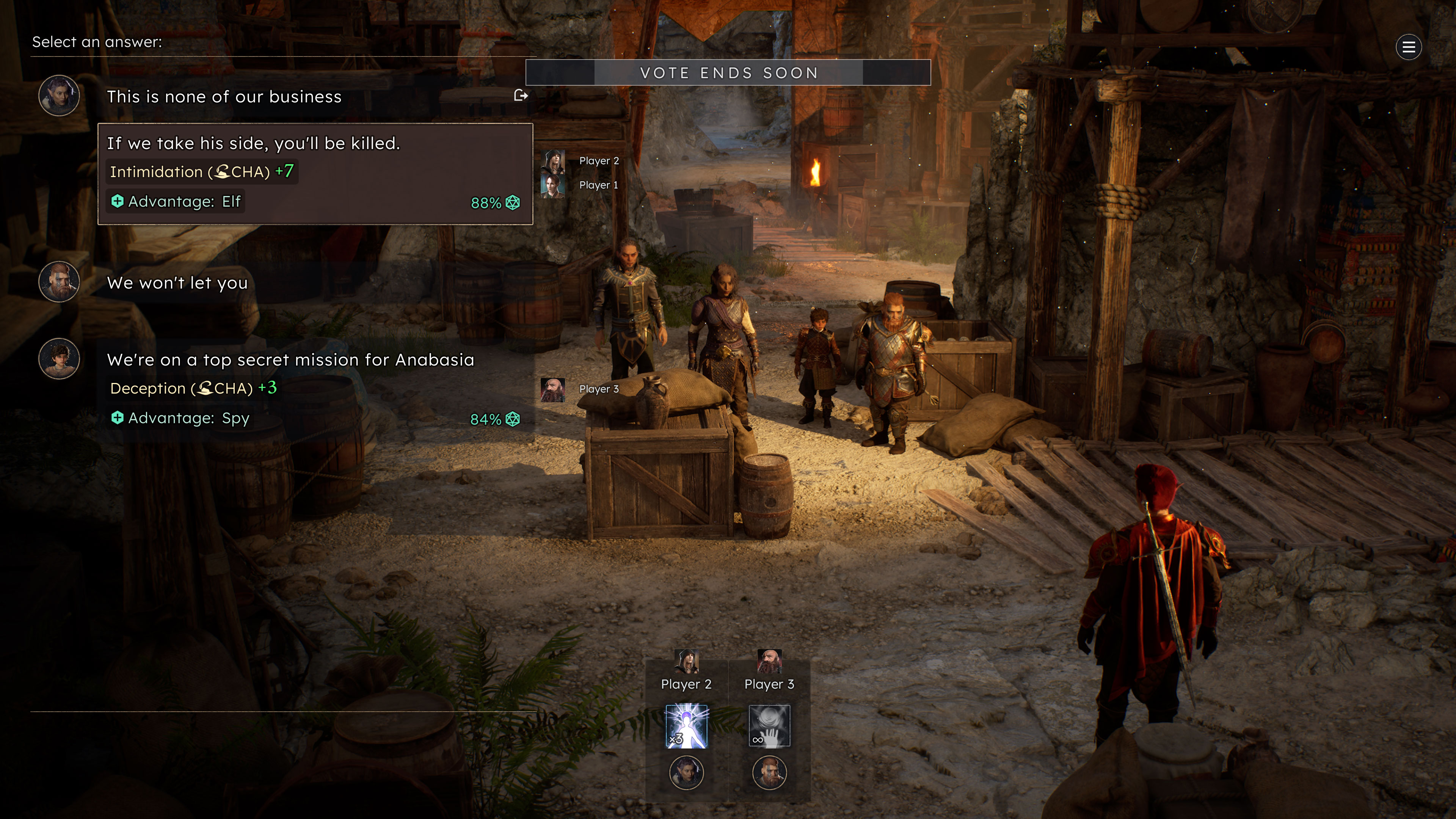
But don’t take too long to make up your mind! A timer starts as soon as the dialogue options appear. When time runs out, the winning answer is selected and the conversation continues. Democracy, but with a countdown.
“Look There!”
Communicating through pings
Spot something the others shouldn’t miss? You can ping a location or a character to quickly draw the rest of the party’s attention to it.
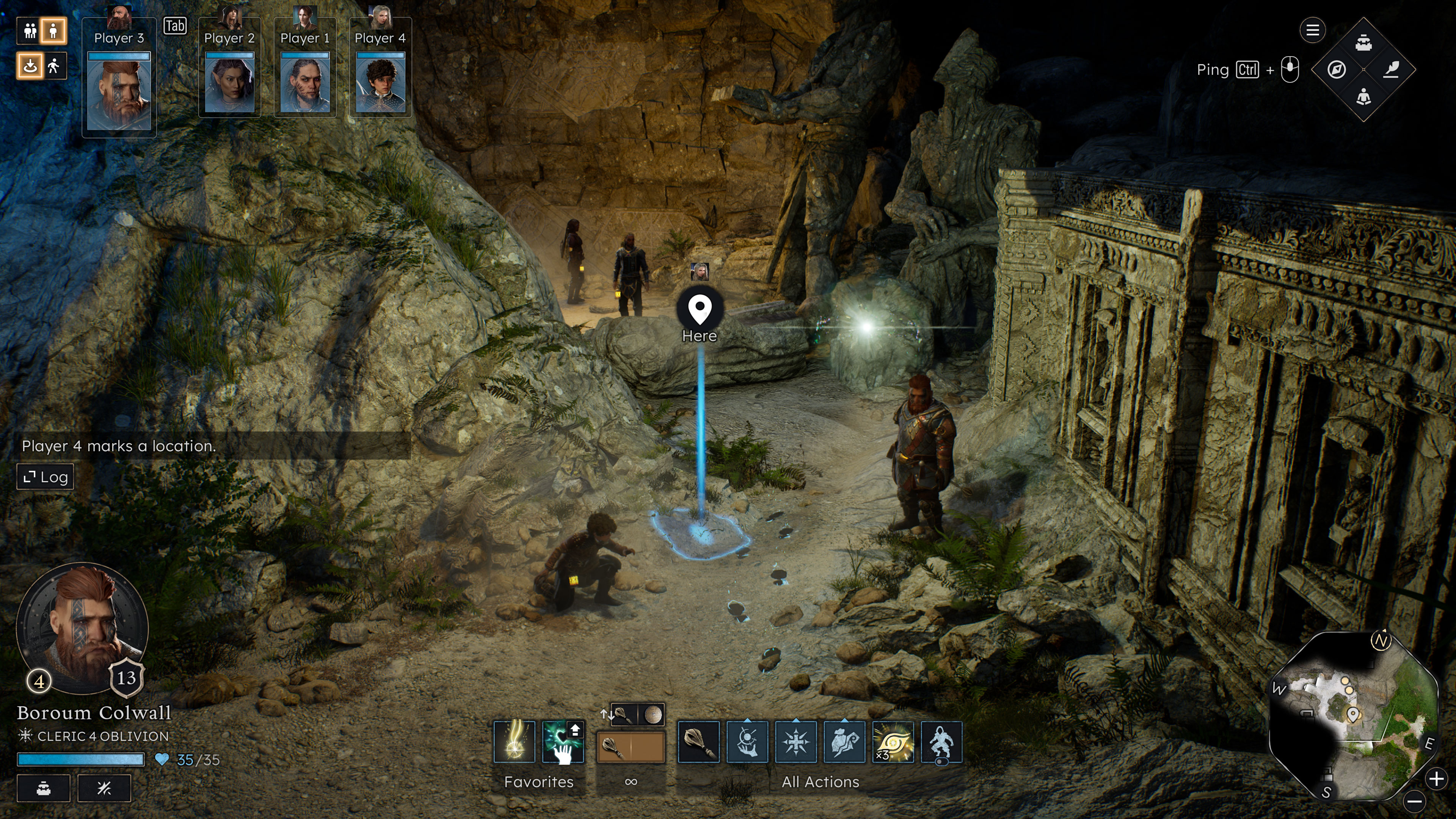
Pings can be used both in and out of combat. By default, use Ctrl + Middle Mouse Button on mouse and keyboard, or Up on the D-pad on gamepad.
“Sometimes, a ping just isn’t enough…”
Using voice chat with your party
If you’d rather talk things through with your party, keep in mind that Solasta II does not include built-in voice chat. You can use the voice communication platform of your choice while playing.
Just like Solasta: Crown of the Magister, our official Discord server provides an easy way to set up a voice channel for your party.
Head to the Multiplayer section, then join the “Join to Create VC Room” channel. This will automatically create a temporary voice room for your group. Once it is ready, you can customize its status and invite your friends to join.
You can also use other options, such as Steam Voice Chat or any other voice communication software you prefer.
Ready to play together?
You can start a new adventure with your friends or invite them to join an existing campaign. So, gather your party, choose your characters, and see where the adventure takes you!
Solasta II is currently available in Early Access on Steam. Multiplayer will continue to evolve during Early Access, with more improvements and polish to come.
Give it a try and let us know what you think! You can join us on our official Discord server to share your experience, report issues, and send us your feedback.
Keregald, Servant of Light
Follow us on: